


You’ve launched your Google Ads for customers in London, but from your desk in New York, you’re flying blind. Are your ads even showing up correctly? Is a local competitor outbidding you with a better offer? You hit refresh, but the search results you see are stubbornly tailored to your location, not your customers’. Select the best proxies for google ads.
This feeling of uncertainty is a common challenge. In practice, the search page Google shows you is a personalized bubble, shaped by your location and browsing history. This means the ad you painstakingly crafted may look completely different—or not appear at all—to the actual shoppers you’re trying to reach. This is the core problem of true ad verification.
Beyond just checking your own work, what if you could research your competition on their home turf? Imagine being able to see the exact ads your top rival in Sydney is running for their Australian customers. Understanding how to check ads in different countries reveals local market strategies and offers you would otherwise never discover.
Solving these issues doesn’t require complex software or asking international friends for screenshots. A straightforward method allows you to digitally “visit” any city in the world and see Google exactly as a local does, using a simple tool that helps marketers move past guesswork and make smarter campaign decisions.
Why Google Knows Your Location (And Why It Matters for Your Ads)
Have you ever noticed that when you search for “restaurants near me,” Google magically knows where you are? This powerful location awareness is fantastic for everyday searches, but it creates a major blind spot when you’re running Google Ads for customers in another city or country. From your office in Chicago, you’re seeing Chicago-based search results, not the ones your target audience in London sees. This makes it nearly impossible to confirm if your ads are even showing up correctly for them.
The secret behind this is your device’s IP address. Think of an IP address like the return address on a physical letter. Every time you connect to the internet, your computer or phone has this unique digital address that tells websites like Google your approximate real-world location. It’s the fundamental piece of information Google uses to personalize your entire experience, from search results and maps to, most importantly, the ads you are shown.
Because of this digital address, you’re essentially locked into seeing the internet from your own perspective. You can’t get a true picture of what your customers in other markets are experiencing, which makes ad verification and competitor research a guessing game. To see the web through their eyes, you first need a way to change your digital return address. This is where a tool that provides anonymous browsing for ad management acts like your own personal digital mail forwarding service.
Your Digital ‘Mail Forwarding Service’: What Exactly is a Proxy?
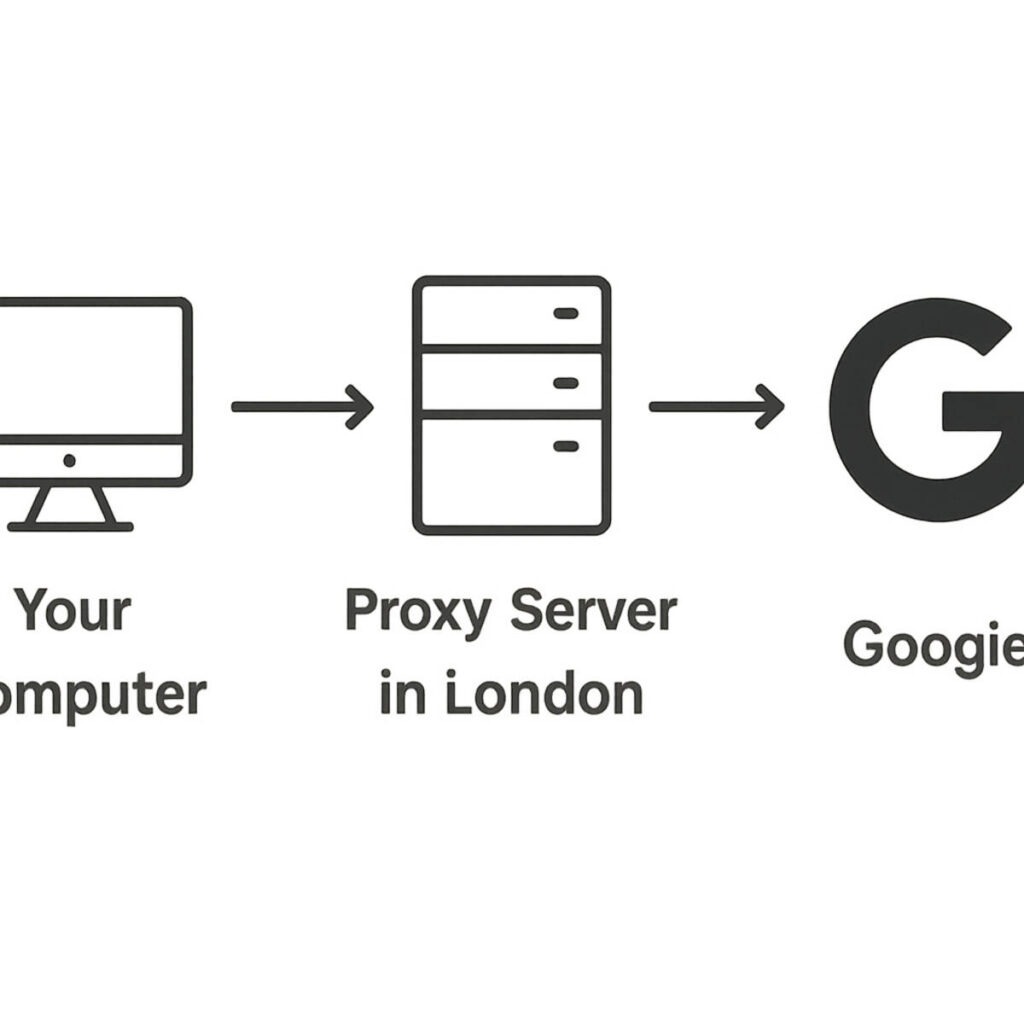
That digital “mail forwarding service” has a name: a proxy server. Think of it as a helpful intermediary for your internet connection. Instead of your computer connecting directly to Google, you first connect to this proxy server. The proxy then connects to Google on your behalf, effectively hiding your real digital address. To every website you visit, it looks like your connection is coming from the proxy’s location, not your own.
The magic happens because the proxy server forwards your request using its own IP address. If you’re in New York and use a proxy server located in London, Google sees a request from a London IP address. As a result, it shows you the search results and, more importantly, the ads that a genuine customer in London would see. So, what is an ads proxy? It’s simply a proxy server used for this specific purpose—to give you an accurate, local view of the ad landscape in any market you choose.
Ultimately, a proxy is just a secure go-between. It isn’t installed on your computer and doesn’t change your files; it only reroutes your internet traffic while you’re using it. For marketers, this simple tool is the key to understanding how to manage multiple Google Ads accounts safely and verify campaign performance without ever leaving the office.
How to See Your Ads Exactly as Your Customers Do
Without a local view, you’re flying blind. You’ve set your Google Ad campaign to target customers in Dallas, but from your office in Miami, you can’t be sure what they’re actually seeing. This crucial process of confirming your ads are running correctly is called ad verification. While there are many complex platforms out there, a proxy serves as a simple and effective ad verification tools alternative.
The process is surprisingly straightforward. By using a proxy server located in Dallas, you can perform a Google search as if you were standing right there. This is how to check ads in different countries or cities with complete accuracy. You simply activate the proxy, go to Google, and search for the keywords you’re targeting. The search results page you see will be the exact one a local customer would get, ads and all.
When you perform this check, you’re looking for more than just your ad’s presence. Use this quick checklist to get the full picture:
- Is your ad showing for your target keywords?
- Is the correct ad copy and headline appearing?
- Are the right ad extensions (like location, call, or special offers) visible?
- What is your ad’s rank compared to competitors on the page?
Beyond just confirming your setup, this process directly impacts your ad performance. Ensuring the correct, location-specific information and extensions appear creates a better, more relevant experience for the user. Google often rewards this with a higher Quality Score, which can lead to better ad positions at a lower cost. But checking your own ads is only half the story.
Uncover What Your Competitors Are Really Doing
Beyond checking your own work, this same digital passport lets you become a “secret shopper” in any market on Earth. Imagine your biggest competitor is based in London. With a proxy, you can instantly see the exact ads they show their local customers, giving you a powerful dose of market intelligence. This is how to check ads in different countries not just for verification, but for strategic advantage. You get to see their home-field tactics without ever leaving your desk.
This level of insight goes far beyond just seeing who ranks first. Using a proxy, which functions like a hyper-specific Google Ads VPN, allows you to analyze their entire approach. What special offers are they promoting in that region? What promises do they make in their ad copy? Crucially, you can click on their ad to experience their landing page just as a local customer would. Is it fast? Is it compelling? This reveals the complete customer journey they’ve designed.
Armed with this knowledge, you can spot weaknesses and opportunities. Perhaps their ads are strong, but their landing page is slow and confusing—an opportunity for you to win over customers with a better experience. Maybe their discounts aren’t as good as yours. This intel allows you to refine your own campaigns, making them more competitive and appealing to the right audience. While large agencies use advanced rotating proxies for competitor ad analysis on a massive scale, the core principle is the same for you: see what they’re doing, find the gaps, and build a smarter strategy. This kind of research is especially vital for agencies and freelancers.
How Freelancers Can Safely Manage Multiple Client Ad Accounts
Managing Google Ads for several clients is a fantastic way to grow your business, but it comes with a hidden digital tripwire. Google pays close attention to who logs into each account and from where. Imagine several unrelated businesses all sharing the same single phone number—it looks suspicious, right? The same is true for your internet address (your IP). If Google sees multiple, separate ad accounts all being run from your one office IP, it can digitally link them together.
This creates a dangerous domino effect. If just one client account gets suspended—even for a reason that’s not your fault—Google might automatically suspend all the others it has associated with your IP. Suddenly, your entire client roster is at risk. This is a nightmare scenario for any freelancer or agency, as it can destroy trust and revenue in an instant. Protecting against this “guilt by association” is a critical part of professional account management.
The solution is to give each client their own unique digital address. This is how you prevent google ads account linking suspension: by using a dedicated IP for ad accounts. A dedicated IP proxy assigns a clean, private IP address to each client. When you work on Client A’s account, you use their dedicated IP. When you switch to Client B, you use their completely separate dedicated IP. To Google, it looks like each account is being managed from a different location, breaking the risky link between them.
This isn’t about being sneaky; it’s about good digital hygiene and demonstrating that you know how to manage multiple google ads accounts safely. Just as a financial advisor wouldn’t mix client funds in one bank account, a professional marketer shouldn’t mix client access in one digital space. It’s a simple, ethical step to protect your clients’ investments and your own reputation.
Not All Digital Disguises Are Equal: Residential vs. Datacenter Proxies
When you choose an ads proxy, you’re essentially picking the type of digital address you want to borrow. The most common type is a datacenter proxy. Think of this like a commercial mail service with thousands of PO Boxes in one giant warehouse. It’s efficient and gets the job done, but it’s clearly not a home address. Search engines like Google can often recognize that this traffic is coming from a commercial data center, not from a potential customer, which can sometimes make them suspicious.
On the other hand, a residential proxy is like borrowing the internet connection of a real home. Its IP address is assigned by a regular Internet Service Provider (like Comcast or Verizon) to a genuine household. When you use a residential proxy, your activity looks completely natural to Google—indistinguishable from someone browsing from their own living room. This inherent authenticity is the key difference when it comes to the residential vs datacenter proxy for advertising debate.
For tasks that demand trust and authenticity, the choice is clear. If you want to see exactly what your customers see, you need to look like one of them. This makes a residential proxy the best proxy for ad verification and competitor research. It allows you to blend in seamlessly, ensuring you get an accurate, unfiltered view of the search results page. This is crucial for making smart decisions, but what about ads that only appear on mobile devices?
What About Mobile Proxies for App Campaigns?
So much of advertising today happens on our phones, from app-install ads to location-specific offers that pop up when you’re on the go. This creates a unique challenge: how do you check these mobile-only ads if you’re sitting at a desktop computer? Using a standard residential proxy makes you look like a home internet user, not someone browsing on their phone. This is where a more specialized tool comes into play.
Enter the mobile proxy. Instead of borrowing an IP address from a home internet connection, a mobile proxy gives you one from a cellular carrier’s network, like T-Mobile or Verizon. When you use one, your connection appears to websites as if it’s coming from a real smartphone on a 4G or 5G network. It’s the most authentic way to simulate how a potential customer on their phone would experience your advertising. This specific function makes it an excellent ad verification tools alternative for mobile-first strategies.
These specialized proxies for Google Ads are essential for anyone running campaigns designed exclusively for mobile users, such as mobile proxies for app install campaigns. If your ad is set to only display to users on a mobile network, this is the only way to accurately verify it’s running correctly. Whether you’re using a residential or mobile proxy, the goal is to get an authentic view.
The Big Question: Can Google Detect Proxy Usage?
It’s the million-dollar question for anyone considering these tools: can Google detect proxy usage? The straightforward answer is that yes, sometimes it can, especially with low-quality proxies. Google’s systems are incredibly sophisticated and are built to notice unusual connection patterns. Using a cheap or free proxy can be like wearing a fake mustache that’s obviously falling off—it’s not a very convincing disguise and is easy to spot.
However, a much more important question is: does Google care? For the most part, Google is less concerned with the fact that you’re using a proxy and far more interested in what you are doing while using it. Think of it like using a Google Ads VPN; the tool itself isn’t the problem. Their priority is stopping malicious activity like click fraud, bot traffic, and users trying to trick the ad system, not penalizing a business owner for doing legitimate market research.
This is where your intent separates safe use from risky behavior. If your goal is to simply view how your ads or a competitor’s ads appear in Dallas while you’re sitting in Miami, you are acting as a researcher. On the other hand, if you use a proxy to repeatedly click on your own ads to drain a competitor’s budget, you are committing fraud. One is a valid business task; the other is a direct violation of Google’s policies and the quickest way to get an account suspension.
Ultimately, using a high-quality residential or mobile proxy just to see the search results page is an extremely low-risk activity. Your behavior is passive and looks no different from a real user in that location. This simple distinction between viewing and interacting is the key to safe proxy use and helps prevent Google Ads account linking suspension.
The Golden Rule for Safe Proxy Use: View, Don’t Click
If there’s one takeaway from this entire guide, it’s this golden rule: view, don’t click. Your goal is to be an invisible observer, like someone window shopping from across the street. You are there to see what’s on display—how the ads look, who is ranking highest, and what offers are being made—not to go inside and ring the doorbell. This passive approach is the key to safe and legitimate research.
The moment you click an ad—whether it’s your own or a competitor’s—you cross a critical line. This action is no longer considered research; it’s defined as click fraud. You are artificially generating a click that forces an advertiser to pay for a disingenuous interaction. It’s the digital equivalent of sending someone into a rival’s shop with no intention of buying anything, purely to waste their resources.
This is the single fastest way to trigger an account review and potential suspension. Google’s top priority is protecting its advertisers from invalid costs, and it takes a zero-tolerance stance on this behavior. Following the “view, don’t click” rule is the most effective way to prevent Google Ads account linking suspension and ensure your research remains safe. However, the rule itself is only half the battle; the quality of your tool also matters.
The Hidden Dangers of “Free” Proxies
The temptation of a “free” tool is understandable, especially when you’re just trying to do some quick research. But when it comes to proxies, “free” almost always comes at a dangerous cost. If you aren’t paying for the service, there’s a high probability that the provider is making money from you in other ways. This often involves monitoring and selling your data. Anything you type while connected to that proxy—including your Google Ads login, password, or client information—could be recorded and stolen.
Beyond the severe security risks, free proxies are notoriously unreliable for the job you need them to do. Because they are open to everyone, their addresses (IPs) are overused and slow. More importantly, these addresses are on public blacklists. Think of it this way: you’re trying to use a disguise that everyone already knows is fake. Google can easily detect proxy usage from these known sources, which means you won’t see the real search results you’re looking for anyway. The proxy becomes completely ineffective.
When you weigh the risks, the choice is clear. The potential for data theft and the high likelihood of being blocked make free proxies a terrible tool for advertising work. The minimal cost of a legitimate, private proxy is a small price to pay for security and reliability.
Avoid free proxies for these key reasons:
- Your data can be stolen: They are a major security risk for your logins and passwords.
- They are slow and unreliable: Many don’t work or are too sluggish to load pages properly.
- Their IPs are often blocked: Google and other sites already know and ban these addresses.
Choosing a trustworthy proxy solves one major problem, but it’s not the only piece of the puzzle. Google doesn’t just look at your digital address; it also looks at your browser.
It’s Not Just Your IP: A Simple Look at Browser Fingerprinting
So you’ve swapped your IP address with a quality proxy, but your work isn’t quite done. Changing your digital address is like putting on a mask, but a platform as sophisticated as Google is smart enough to look for other clues. If your location says you’re in London but your computer’s clock is clearly set to New York time, it can raise a digital eyebrow. This is where the concept of a “browser fingerprint” comes into play, and it’s the next piece of the puzzle for anonymous browsing for ad management.
Think of browser fingerprinting like this: your web browser gives away dozens of tiny details about your device. These details include your screen resolution, operating system, language settings, and the specific fonts you have installed. Individually, these clues mean very little. But when combined, they create a unique profile that acts like a digital fingerprint. This unique combination helps websites identify your specific device out of millions of others, even if you’re using a proxy to hide your IP address.
For managing your ad accounts, this matters a great deal. If your browser fingerprint still points to your real location while your proxy points somewhere else, this mismatch can prevent you from seeing the true, localized search results you need. Can Google detect proxy usage? Yes, and a conflicting fingerprint is one of the easiest ways. The best solutions for ad verification don’t just change your IP; they also help manage your digital fingerprint.
How to Actually Use a Proxy (It’s Easier Than You Think)
The word “proxy” might sound like a job for the IT department, but putting one to work is surprisingly straightforward. You don’t need a technical degree to use proxies for Google Ads. For most marketers, the setup for an ad account proxy comes down to one of two simple methods, both of which are designed for regular users, not network engineers.
The most popular and user-friendly way is through a browser extension. Think of it like adding a new feature to Google Chrome—a process that takes just a few clicks from an official app store. Once installed, these tools typically place a small icon in your browser. Clicking it lets you pick a country or city from a simple list, and your browser instantly appears to be in that location. The best proxy for ad verification will often use an intuitive interface just like this.
A second option involves changing the proxy settings built directly into your computer’s operating system. While this method works, an even easier path is using a specialized browser designed for this exact task. These all-in-one tools bundle the proxy and fingerprint management together, giving you a clean, reliable window into what your customers see without any complex configuration. This transforms a seemingly technical task into a simple point-and-click solution.
Your Action Plan for Clearer Vision on Google Ads
Before, the term “proxy” was likely just technical jargon, and the idea of seeing your ads in another city felt out of reach. You can now see these tools for what they truly are: a digital window that gives you a clear, honest view of your advertising landscape, no matter where your customers are.
This newfound clarity is powerful for two main reasons: effective ad verification and smart competitor ad analysis. The key is to use this power ethically. Always avoid unreliable free services, and most importantly, never click on any ads—your own or a competitor’s—while using proxies for Google Ads.
Getting started is simpler than you think. Here is your three-step plan to begin responsibly:
- Define Your Goal: Are you verifying ads or researching competitors?
- Choose the Right Tool: A trusted residential proxy is best for most ad tasks.
- Always Be Ethical: Remember the “View, Don’t Click” rule.
You now see proxies not as a shady shortcut, but as a marketer’s magnifying glass. They aren’t about tricking the system; they are about gaining the intelligence needed to make smarter decisions, serve customers more effectively, and build your business with confidence.