

Struggling to make your ‘sambal’ business or online ‘baju’ store look professional on Instagram? If your designs feel a bit ‘homemade’ and you don’t have the budget for a designer, you’re not alone. Many Malaysian entrepreneurs want great-looking visuals without the high cost but simply don’t know where to start. Select the best Canva course Malaysia.
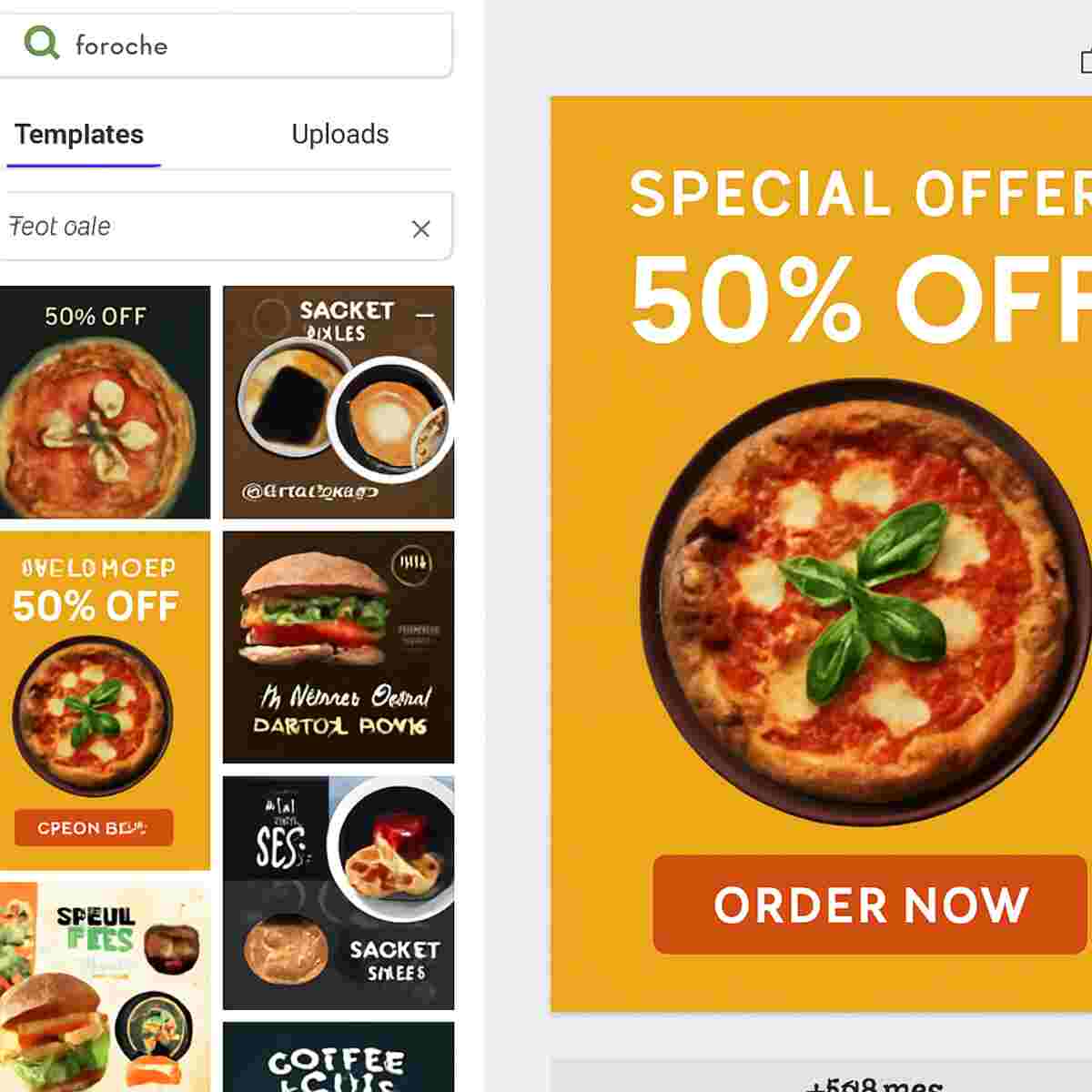
This is where Canva comes in. So, what is Canva, really? Think of it like a digital colouring book. The website is filled with thousands of ready-made designs called Templates. The lines are already drawn for you; all you need to do is add your own text and pictures. It’s a tool made specifically for people who are not graphic designers.
Instead of spending hours on a single post, you can create a finished design in minutes. For instance, need a poster for your café’s ‘Jualan Murah’? In practice, you can just search for a sale poster, pick one you like, change the text, and it’s ready. A Canva design course makes it easy to learn Canva for beginners in Malaysia, helping you turn your great ideas into professional visuals, fast.
Can I Just Learn from YouTube? Why a Structured Course Saves You Time & Frustration
You might be thinking, “Why pay for a course when I can find free videos on YouTube?” It’s a good question. But think about the time you waste jumping from video to video, trying to piece together different tips. It’s like collecting random puzzle pieces without the box to show you the final picture. You might spend an entire afternoon learning one small trick for your café’s menu, only to feel just as lost when you start your next design for a festival greeting.
This is why people find a paid Canva class worth it. A proper course is a complete roadmap, not a collection of random turn-by-turn directions. Instead of just learning what buttons to click, you learn a step-by-step workflow that professionals use. You’ll discover why certain colours work together and how to choose fonts that look good every time. This foundational knowledge makes every future project faster and more professional.
Ultimately, a good online canva course gives you an expert’s ‘cheat codes’—the simple rules and shortcuts that instantly elevate your work. A great Canva course in Malaysia is designed to build your skills and confidence quickly, helping you avoid the common beginner mistakes that make designs look amateur. You stop guessing and start creating designs you can be proud of, whether it’s for your business, your career, or your personal brand.
Your First Project: Create a Stunning Social Media Graphic in 10 Minutes
Ready to see just how easy it is? Let’s prove that you can create professional-looking designs without any experience. Right now, we’ll walk you through how to create social media graphics with Canva for your small business or side hustle. Forget the struggle; this will take you less time than brewing a cup of teh tarik.
Imagine you want to post about a special sale for your home baking business. In Canva, you start with a ready-made design called a Template. Think of it like a colouring book where the lines are already drawn for you. All you have to do is add your own details.
Creating your graphic takes just four simple steps:
- Find a Template: In the search bar, type what you need, like “cake promotion” or “Hari Raya sale,” and pick a design you love.
- Change the Text: Click on any text on the template. You can now type your own message, like changing “Special Offer” to “Kuih Raya Special!”
- Swap the Photo: Go to the ‘Uploads’ tab on the left, upload a photo of your product, and simply drag it over the old picture. It will snap perfectly into place.
- Download: Click the ‘Share’ button in the top right corner and download your finished design.
That’s it! You’ve just made a beautiful, professional graphic ready for Instagram or Facebook. This simple process is a core skill you’ll master in any good social media content creation class. Now that you can create amazing posts, what about giving your brand a consistent look with a proper logo?
How to Design a Simple, Professional Logo for Your Malaysian Business
Every great business, from a local nasi lemak stall to an online tudung shop, needs a recognisable face. That face is its logo. While it sounds intimidating, creating a simple, professional logo in Canva is easier than you think. You don’t need to be a top artist; you just need to understand one key principle: simplicity is everything. This is where your journey into Canva graphic design gets really exciting, as you begin to build a true brand identity.
Forget about complex drawings or using a photo of your product. The best logos are the cleanest. Here’s a simple process: search for “logo” in Canva’s templates, find an icon that represents your business (like a whisk for a baker or a book for a tuition centre), and pair it with your business name in a clear, easy-to-read font. This approach is fundamental when you learn Canva for business because it ensures your logo looks good everywhere.
Avoid using a detailed photograph in your logo. While a photo of your signature cake looks delicious on Instagram, it becomes a blurry, unrecognisable mess when shrunk down for a profile picture or printed on a small sticker. A simple icon and text, however, stay sharp and professional at any size. Mastering this one rule instantly elevates your digital marketing material design, making your brand look polished and trustworthy. Now, what if you could apply that same professional look to your work presentations?
Is Canva Only for Social Media? Think Again: Wow Your Boss with Pro Presentations
You can absolutely apply that same professional look from your logo to your work. Imagine your boss asks you to prepare a presentation for tomorrow morning. Instead of panicking over a blank, boring slide, you can use Canva to create something that looks like it was made by a professional agency. Simply search for “presentation,” pick a template that matches your company’s style, and add your text and figures. This is how you gain practical graphic design skills for non-designers—by turning standard work documents into impressive, clear, and engaging reports that make your ideas stand out.
Beyond the boardroom, this same advantage applies to your own career path. Think about your CV. Does it look the same as everyone else’s? A well-designed resume can be the one thing that catches a busy hiring manager’s eye. Canva has hundreds of modern, professional resume templates. You just choose one you like and fill it in with your details. No more fighting with formatting in a word processor. Mastering Canva means you can present not just your work, but yourself, in the best possible light.
Suddenly, Canva isn’t just a tool for your side-hustle’s Instagram page; it becomes a secret weapon for your entire career. Understanding how to use it for reports, resumes, and other professional documents is one of the biggest benefits of Canva certification—it shows employers you’re a versatile and modern professional. But what if you could create all of these designs even faster, with a little help from a smart assistant?
What is Canva Magic Studio? Your AI Assistant Explained in Simple Terms
That smart assistant we mentioned? It’s called Canva Magic Studio, and it’s like having a creative helper built right into your account. Think of it as a tool that can write and edit for you, saving you from that feeling of staring at a blank screen. Instead of struggling to find the right words or the perfect image, you can simply tell Canva what you need, and it helps create it. For busy entrepreneurs, mastering Canva Magic Studio features is a game-changer for producing content quickly and consistently.
So, what can this ‘magic’ actually do for your small business or project? It comes down to two amazing tricks that feel like something from the future:
- It writes for you (Magic Write): Struggling with a caption for your new product on Instagram? Just tell Magic Write about your item—like “delicious homemade chocolate chip cookies”—and it will instantly generate engaging captions and headlines for you to use.
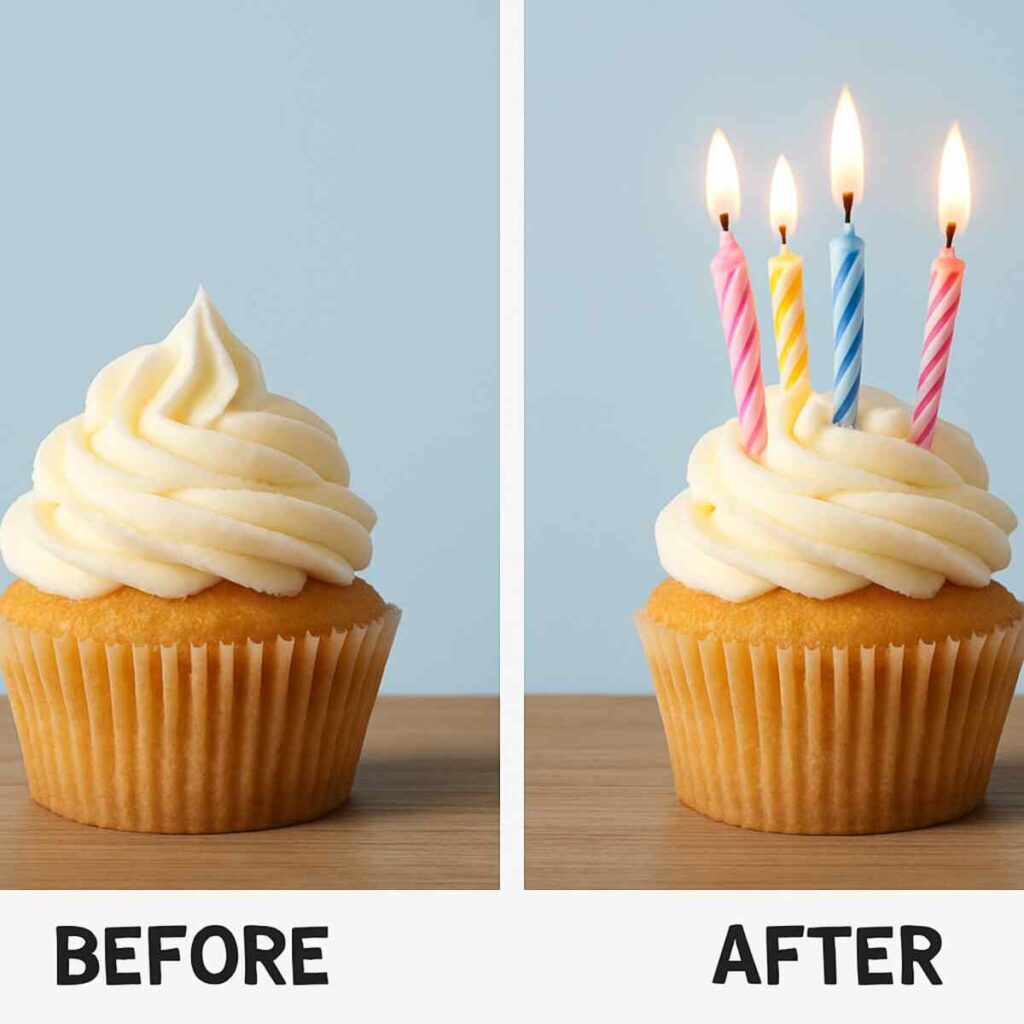
- It edits your photos (Magic Edit): Imagine you have a great photo of your cupcake, but you wish it had sprinkles. With Magic Edit, you can simply highlight the area and type “add rainbow sprinkles,” and they appear like magic. No complicated software needed.
Ultimately, these features are about more than just saving a few minutes. They help you overcome creative blocks and bring your ideas to life without needing advanced technical skills. This is exactly the kind of powerful tool that a good online Canva class for small business will teach you how to use effectively. With amazing features like these now available, it’s clear that learning Canva properly is more valuable than ever. But with so many options out there, how do you pick the right one?
How to Choose the Best Canva Course in Malaysia: A 5-Point Checklist
With so many options, picking the right Canva course Malaysia can feel confusing. Do you go for a live online class or find a physical Canva workshop in KL? Instead of getting overwhelmed, use this simple checklist to judge any course and find one that truly delivers value for your time and money.
A great course should be tailored to our local needs. Before you sign up, ask yourself these five questions:
- Does it use Malaysian examples? You need to learn how to create visuals for Hari Raya promotions or a local café menu, not just generic Western holidays.
- Is it hands-on? The best way to learn is by doing. Ensure the course provides practice files so you’re not just watching someone else design.
- Is the instructor an expert? Look for a trainer who is an experienced designer, not just a Canva fan. They can teach you the professional tricks that save time.
- Do you get a certificate? A formal Canva certification is a fantastic addition to your resume and LinkedIn profile, proving your new skill.
- Is it HRDF Claimable? This is a huge bonus for employees. An HRDF claimable Canva training means your company can likely cover the cost, making it an easy ‘yes’ from your boss.
That last point is a game-changer for anyone looking to upskill for their job. If a course is HRDF claimable, it signals a certain level of quality and makes professional development much more accessible. By using this checklist, you can confidently choose a course that will give you practical, valuable skills. Now that you know how to pick a course, there’s one more question to tackle: do you really need the paid version of Canva to get started?
Canva Free vs. Canva Pro: Is a Paid Subscription Really Worth It for You?
One of the biggest questions people ask is, “Do I really need to pay for Canva?” The free version is already incredibly powerful, allowing you to create beautiful designs for social media, presentations, and more. For personal projects or if you’re just starting, Canva Free is more than enough. However, for a small business owner or anyone serious about marketing, upgrading to Canva Pro is like switching from a regular car to a supercar—it gets you to your destination much faster and with more style.
The biggest game-changer is the Background Remover. Imagine you’ve taken a photo of your product—say, a delicious homemade cake—but your kitchen background is messy. With one click in Canva Pro, you can remove the entire background, leaving just your professional-looking cake. This feature alone is a lifesaver for anyone selling products on Shopee, Instagram, or their own website, making an online Canva class for small business owners incredibly valuable.
Beyond that, two other features make Pro a smart investment. The Brand Kit lets you save your business logo, brand colours, and fonts. This means you can apply your consistent branding to any new design instantly, making your business look more professional. Then there’s the Content Planner, which allows you to design and schedule your social media posts directly from Canva. You can plan your entire week’s content in one afternoon, saving you hours of daily work.
So, is a paid Canva subscription worth it? If you’re designing for fun or for occasional personal use, stick with the free version. But if you’re running a business, a side hustle, or managing social media professionally, Canva Pro will pay for itself in time saved and a more polished brand image. While Canva is perfect for speed and ease of use, some wonder how it compares to industry-standard tools like Adobe Illustrator.
Canva vs. Adobe Illustrator: Which One is Right for You?
As you explore Canva, you might hear about professional tools like Adobe Illustrator and wonder which is better. It’s a common question, especially if you want to develop real graphic design skills for non-designers. The truth is, they aren’t competing against each other; they are built for completely different purposes, like a car versus a motorcycle. Both will get you places, but you choose one based on your specific journey.
Think of Canva as a high-quality meal kit service. The recipe is ready and the ingredients are prepared for you—all you have to do is assemble them to create a delicious, beautiful meal in minutes. Adobe Illustrator, on the other hand, is like a professional chef’s kitchen. You have every raw ingredient imaginable and can create any dish from scratch, but it requires deep knowledge and training. A Canva vs Adobe Illustrator course is really a choice between speed and unlimited creative freedom.
For a small business owner in Malaysia needing a quick poster for a ‘Jualan Murah’ or an eye-catching Instagram post, Canva is the perfect tool. It delivers professional results, fast. You don’t need to become a chef just to make a great meal for your customers. But what if a paid course isn’t in your budget right now? The good news is, you can still get started.
No Budget? No Problem: 3 Best Places to Start Learning Canva for Free
The great news is that you don’t need a budget to start mastering Canva. Before you even consider a paid Canva design course, the platform itself offers excellent, high-quality resources to help you learn the basics. This is the perfect risk-free way to learn Canva for beginners Malaysia, giving you the confidence to explore and create right away. You can build a strong foundation using nothing but your time and curiosity.
To get started, focus on these three official and 100% free Canva learning resources online:
- Canva Design School: This is Canva’s own blog, filled with simple articles and quick design tips. It’s perfect for learning how to choose good colours or pick the right font for your “Selamat Hari Raya” greeting card.
- The Official YouTube Channel: If you prefer watching over reading, their short video tutorials are fantastic. They show you step-by-step how to create specific things, like an animated Instagram post or a modern resume.
- In-App Tutorials: The best place to begin is right inside Canva. Look for the “Learn” section in the menu. It offers short, interactive lessons that let you practice skills immediately.
Your Next Step: From Frustrated Beginner to Confident Canva Creator
Just a short while ago, the thought of creating a professional-looking poster or social media post might have seemed overwhelming, a skill reserved for trained designers. Now, you understand that with Canva, you hold the power to bring your ideas to life. You’ve seen what’s possible and, more importantly, you know that you are capable of doing it yourself.
While exploring is a great start, the fastest way to turn this potential into a valuable skill is through guided learning. The right Canva course Malaysia provides a step-by-step guide to Canva for business or personal projects, ensuring you learn the right techniques from day one and build a strong foundation for your creativity.
Feeling inspired? Don’t let the momentum fade. Put your new knowledge into practice right now:
- Open Canva today and try editing one template—just for fun!
- Review the 5-point checklist from this guide when you look at any potential course.
- Pick one free resource from our list and watch one 5-minute tutorial.
Your journey isn’t about becoming a graphic designer overnight; it’s about making progress. Each small action builds confidence and skill. Soon, you might even be exploring the benefits of Canva certification to boost your resume. You no longer just see a design tool—you see a clear, achievable pathway to your goals.
