

Hey there! If you’ve ever wondered how to make your applications smarter or just want to dive into the world of AI, you’re in the right place. Today, we’re chatting about the ChatGPT API, a nifty tool from OpenAI that’s packed with features and possibilities. Whether you’re an aspiring novelist, a content marketer, or a graduate student, you’re about to discover how this API can become your new best friend. Let’s get started! Discover the best info about ChatGPT API.
What is the ChatGPT API?
First things first, what is this ChatGPT API we keep talking about? In simple terms, the ChatGPT API is like a magic wand for text generation. It’s a tool created by OpenAI that lets developers integrate ChatGPT’s language processing capabilities into their applications. This means you can harness the power of AI to generate human-like text, answer questions, and even engage in conversations. Pretty cool, right?
Understanding the Core Functionality
At its core, the ChatGPT API leverages advanced machine learning models to process and generate text. These models are trained on diverse datasets, allowing them to understand and mimic human language intricacies. This understanding enables the API to provide contextually relevant and coherent responses that make interactions feel natural.
Integration Capabilities
The API is designed to be flexible and easy to integrate. Whether you’re building a mobile app, a web-based platform, or a chatbot, the API offers seamless integration capabilities. Developers can use the API in various programming environments, ensuring it fits into existing workflows without hassle.
Potential for Innovation
The potential for innovation with the ChatGPT API is vast. It empowers developers to create applications that were previously difficult to imagine. From virtual assistants that manage daily tasks to educational tools that personalize learning experiences, the API opens doors to creative solutions across industries.
Key Features of ChatGPT API
The ChatGPT API isn’t just about generating text; it’s packed with features that make it a versatile tool for a variety of applications. Let’s break them down:
Natural Language Processing (NLP)
Natural Language Processing is at the heart of the ChatGPT API. This feature allows the API to understand and generate text that sounds natural and human-like. It’s perfect for crafting engaging dialogues or simplifying complex topics. The NLP capabilities also extend to language translation, sentiment analysis, and keyword extraction, providing a comprehensive suite for text-related tasks.
Customizable Conversations
Customizability is a standout feature of the ChatGPT API. You can tailor the responses to fit the tone and style you want. Need something formal for an academic paper or casual for a blog post? The ChatGPT API has got you covered. This flexibility is crucial for maintaining brand voice and ensuring that interactions align with audience expectations.
Contextual Understanding
Contextual understanding is another powerful feature. ChatGPT can maintain context over multiple interactions, making conversations coherent and more engaging. This is especially useful for building chatbots or interactive storylines. With this feature, the API can remember previous exchanges, allowing it to follow the conversation’s flow naturally and provide more relevant responses.
Scalability and Reliability
Scalability is a key consideration for any tool meant for widespread use. Whether you’re a solo developer or a large enterprise, the API can handle varying loads, making it perfect for both small and large-scale projects. Its reliability ensures that it can support applications with high user demands without compromising performance.
Security Features
Security is paramount when dealing with user data. The ChatGPT API incorporates robust security measures to protect data privacy. It ensures that sensitive information is handled with care, adhering to industry standards for data protection. This makes it a trustworthy choice for applications where data confidentiality is critical.
Use Cases of ChatGPT API
Now that you know what it can do, let’s dive into how you can use the ChatGPT API in real-life scenarios. Whether you’re writing a novel, crafting marketing content, or working on academic papers, there’s something here for you.
For the Aspiring Novelist
Ah, the joys and struggles of writing a novel! Character development, plot structure, and engaging dialogue are crucial, and this is where the ChatGPT API shines.
Character Development
Character development is a cornerstone of compelling storytelling. Use the API to brainstorm character backgrounds, motivations, and traits. You can even generate dialogue snippets to see how your characters might interact. This helps in creating multi-dimensional characters that resonate with readers.
Plot Structuring
Stuck on what happens next? ChatGPT can suggest plot twists or help outline the next chapters, making sure your story flows seamlessly. By providing fresh perspectives, the API acts as a creative partner, helping overcome writer’s block and ensuring narrative cohesion.
Dialogue Crafting
Need help with writing dialogues that sound natural? The API can generate conversations that bring your characters to life. It can mimic different speech patterns and styles, ensuring that each character has a distinct voice, enhancing the overall authenticity of your narrative.
For the Content Marketer
Creating content that grabs attention and converts can be challenging. Thankfully, the ChatGPT API can be your secret weapon.
Engaging Content
Generate catchy headlines, compelling introductions, and persuasive calls to action with ease. The API’s ability to craft engaging content helps marketers capture audience interest quickly, increasing the likelihood of conversions.
Simplifying Complex Topics
Break down technical jargon into simple, digestible pieces that your audience will love. This is particularly valuable in industries like tech or finance, where simplifying complex concepts can drive engagement and understanding.
Social Media Posts
Craft witty and engaging social media content that resonates with your followers. The API can help in creating posts that align with current trends and audience preferences, boosting interaction and shares.
For the Graduate Student
Academic writing can be daunting, but the ChatGPT API can help simplify the process.
Structuring Arguments
Generate outlines and bullet points to structure your arguments logically and coherently. This support facilitates the development of well-organized academic papers, ensuring that ideas are presented clearly and effectively.
Citing Sources
The API can assist in paraphrasing and summarizing texts, making citation easier and more accurate. This feature ensures that academic integrity is maintained while saving time on laborious referencing tasks.
Simplifying Theories
Need to explain a complex theory? The API can help break it down into understandable language. This is particularly useful for students who need to convey intricate ideas straightforwardly, enhancing comprehension and learning.
Getting Started with ChatGPT API
Ready to dive in and start using the ChatGPT API? Here’s a quick step-by-step guide to help you get started:
Sign Up for Access
Head over to OpenAI’s website and sign up for API access. You’ll get API keys that you’ll use to authenticate your requests. These keys are essential for establishing a secure connection between your application and the API.
Set Up Your Environment
Install any necessary libraries or tools, depending on your programming language of choice. Setting up a conducive environment ensures that your development process is smooth and that you can leverage the API’s capabilities effectively.
Integrate the API
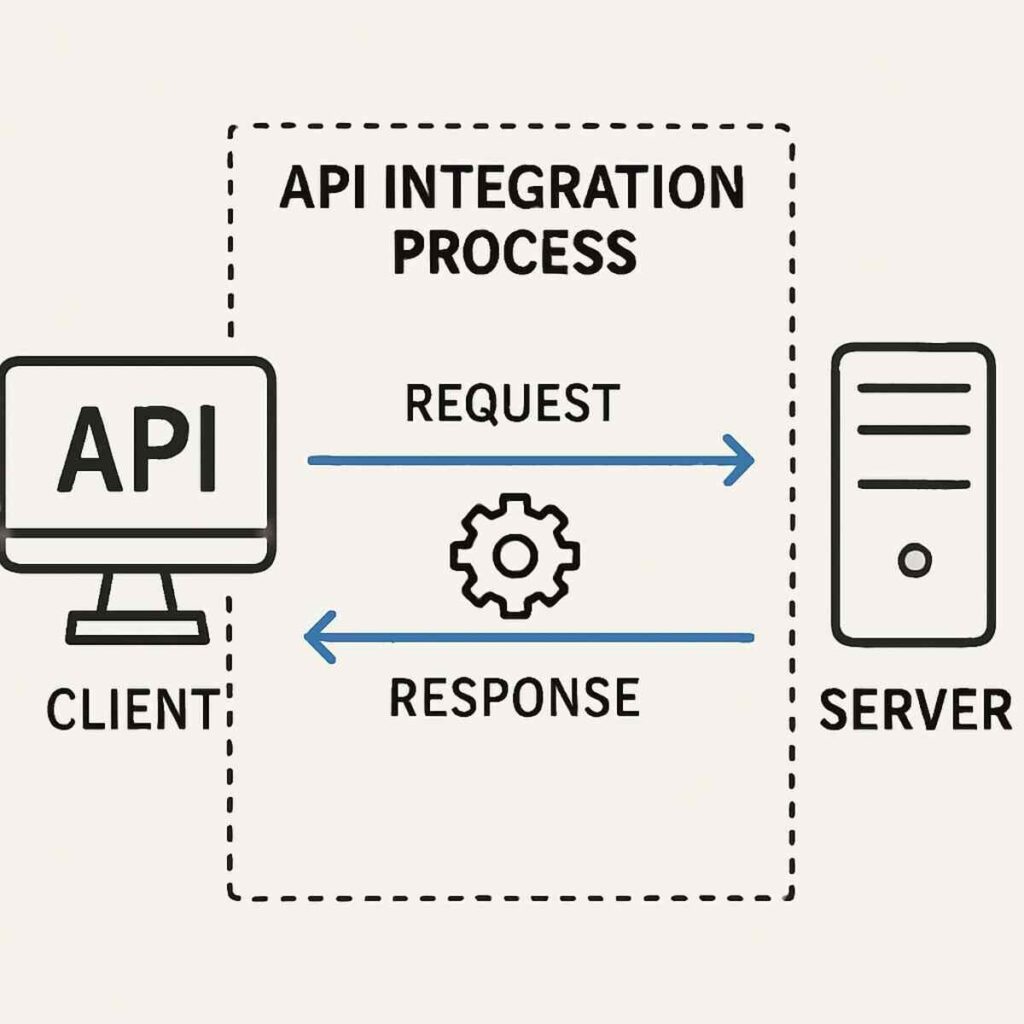
Use the API keys to integrate ChatGPT into your application. You’ll need to write some code to send requests and handle responses. This integration process allows you to customize the API’s use to fit your specific needs, whether it’s for a chatbot or content generation.
Experiment and Iterate
Start experimenting with different prompts and settings to see how ChatGPT responds. Tweak your application as needed to achieve the desired results. Iteration is key to refining the interaction quality and ensuring that the API meets your project’s objectives.
Practical Tips for Using the ChatGPT API
To wrap things up, here are some tips to make the most out of the ChatGPT API:
Start Simple
Begin with basic prompts and gradually build up to more complex ones as you get comfortable with the API. This approach helps in understanding the API’s responses and capabilities, laying a solid foundation for more advanced usage.
Experiment with Parameters
The API allows you to tweak parameters like temperature and max tokens. Play around with these to control the creativity and length of the responses. Adjusting these settings can help tailor the output to better fit your application’s needs.
Keep Learning
AI is a rapidly evolving field, so stay updated with the latest features and best practices from OpenAI. Engaging with the community and exploring new updates can unlock additional functionalities and enhance your project’s potential.
Have Fun
Most importantly, have fun experimenting and creating with the ChatGPT API. The possibilities are endless! Embracing the API’s creative potential can lead to innovative solutions and enjoyable development experiences.
And there you have it! A comprehensive look at the ChatGPT API, its features, and how you can use it to level up your writing and content creation game. Whether you’re crafting stories, content, or academic papers, this tool is here to make the process easier and more enjoyable. Happy writing!
