

Are you tired of seeing your satellite or cable TV bill creep up every year? You’re not alone. Many people in the UK are searching for a way to get all the channels they love without the eye-watering price tag, and you’ve probably heard friends or colleagues talking about a cheaper alternative called ‘IPTV’. Find the best iptv uk.
So, what is it? Don’t let the technical name fool you. IPTV stands for Internet Protocol Television, which is just a fancy way of saying “TV delivered over your internet connection.” Instead of a signal coming from a satellite dish or an aerial, the show is streamed to your device, much like a video on BBC iPlayer or Netflix, only often it’s for live channels.
The reason this topic is suddenly everywhere is the promise it offers: access to thousands of channels from all over the world, including a perfect Premier League stream, for a fraction of your current monthly cost. But with promises that sound too good to be true, it’s smart to ask questions about reliability, quality, and, most importantly, legality.
This guide cuts through the noise, explaining the different types of IPTV UK services—from the 100% legal ones offered by major companies to the unofficial ones you see advertised online. We will cover the real risks, what you need to get started, and give you the clear, simple facts you need to make an informed choice.
What Exactly is IPTV? A 60-Second Explanation (Hint: It’s Not Netflix)
IPTV stands for ‘Internet Protocol Television,’ but all that really means is watching live TV channels through your internet connection. Instead of a signal coming from an aerial on your roof or a satellite dish on your wall, the channels are ‘streamed’ to your device over your home Wi-Fi. Think of your internet router as the new, invisible TV aerial.
With services like Netflix or BBC iPlayer, you browse a big library of films and shows to watch whenever you want—that’s called ‘on-demand’. IPTV, on the other hand, is just like turning on your regular telly. You tune into a specific channel, like Dave or Sky Atlantic, and watch what is being broadcast live, at that very moment.
So, while both use the internet, they serve different purposes. Netflix is a video library; IPTV is a live channel guide. It’s this ability to stream hundreds, or even thousands, of live channels from all over the world that has people talking. However, how these channels are provided is what truly matters, which brings us to the two very different faces of IPTV in the UK.
The Two Faces of UK IPTV: The Fully Legal vs. The “Grey Market”
When it comes to getting IPTV in the UK, you’re dealing with two completely different types of services. The technology itself is just a method of delivery, like a post van. What truly matters is whether the sender has permission to send the parcel in the first place. This distinction is the most important thing to understand before you spend any money.
IPTV services fall into two clear camps:
- 1. Official, Legal IPTV: These are services from major UK companies. Think of BT TV, TalkTalk TV, or even the streaming apps that come with your existing package, like Sky Go. These providers have paid for the official broadcast rights to show you channels, making them 100% legal and reliable.
- 2. Unlicensed, “Grey Market” IPTV: These are the services you often see advertised cheaply on social media or online forums, promising thousands of channels for a low monthly fee. They are a huge source of confusion and risk.
The entire question of is using IPTV legal in the United Kingdom boils down to broadcast rights. Official providers like Sky pay millions of pounds for the exclusive right to show a Premier League match. Unlicensed providers simply capture that broadcast and re-stream it without permission and without paying for it. This is a breach of copyright, which is why these services operate in a legal grey area and face constant shutdowns.
The choice is between paying a legitimate company for a verified service, or paying an anonymous online seller for access to content they don’t own. Understanding the risks of unverified providers and the equipment you’ll need is the next logical step.
What You Actually Need to Start Watching IPTV
Getting set up for IPTV is far less complicated than you might think. Unlike the old days of engineers, satellite dishes, and messy cables, you probably own most of the necessary kit already. The simplicity of the setup is a huge part of its appeal.
Regardless of whether you choose an official or unlicensed service, the recipe is always the same. You just need three basic ingredients:
- A stable internet connection: Your Wi-Fi effectively replaces the aerial or satellite dish, so a reliable connection is crucial to avoid freezing and buffering.
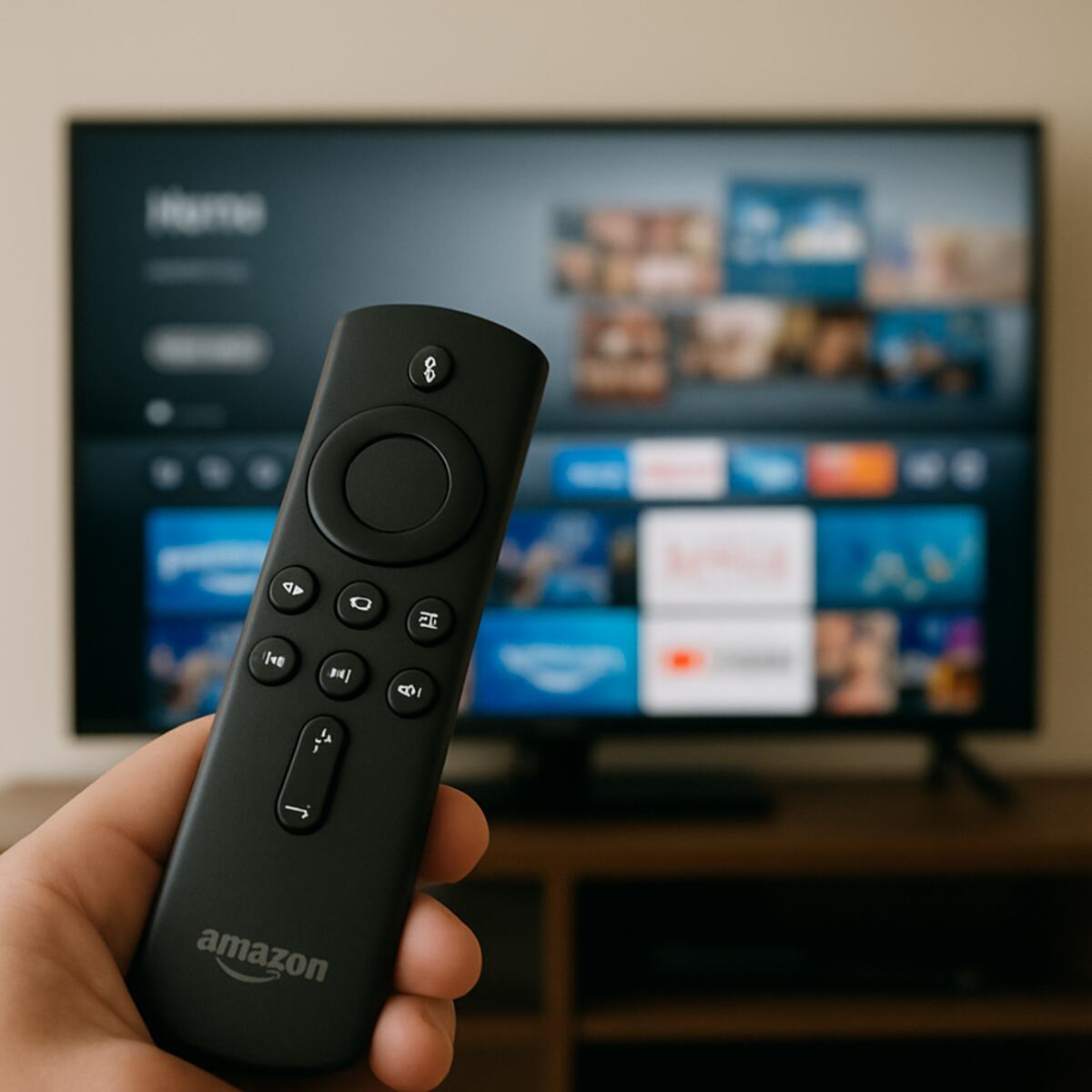
- A compatible device: This could be your Smart TV, but a very popular choice is a simple streaming stick like an Amazon Firestick. Some users prefer a dedicated IPTV box for 4k content for the smoothest experience.
- An IPTV service and player app: This is the provider that supplies the channels and the IPTV player app for smart TV or stick that lets you watch them.
Your device (the Firestick) is separate from the service (the channel subscription). The process typically involves finding a provider and then following their instructions on how to set up IPTV on Firestick by installing their specific application. Think of the device as the television set and the service as the TV license and channel package all rolled into one.
With the setup being so straightforward, it’s easy to see the appeal. But this simplicity also makes it tempting to try a cheap, unlicensed service that promises the world.
Why Are Unlicensed IPTV Services So Popular? The £80 vs £10 Question
The number one reason so many people are curious about unlicensed IPTV UK is the staggering difference in price. When a typical family TV package from a major provider can easily creep towards £80 per month, the offer of a service for around £10 a month is incredibly tempting. For many, this isn’t just a small saving; it’s a financial game-changer that makes them question why they are paying so much in the first place.
Beyond the rock-bottom price, the other major draw is the sheer volume and variety of content promised. Unlicensed providers often boast a world where you no longer need multiple subscriptions. Imagine one service that claims to offer every single Premier League stream, the latest blockbuster movies, exclusive US TV series, and thousands of international channels from across the globe. This “everything in one place” promise is a powerful and convenient lure.
When you combine this seemingly endless library with that tiny price tag, it’s easy to see the appeal. The offer feels like the perfect solution: all the entertainment you could ever want, without the complicated packages and eye-watering bills. But this combination often comes with a catch.
The Hidden Costs: 5 Risks of Using Unverified IPTV Providers
That tempting £10 price tag often comes with a host of frustrations that are rarely mentioned in the sales pitch. While the idea of saving money is appealing, the day-to-day experience with many of these risks of unverified providers can be a real headache. The core issue is a total lack of accountability; when something goes wrong, you have nowhere to turn.
The most common complaints aren’t just minor inconveniences—they can cost you money and peace of mind. Here are the five biggest risks:
- 1. Constant Buffering: Wondering how to fix IPTV buffering issues? Often, you can’t. The servers are frequently overloaded, especially during big events like a Premier League match, causing the picture to freeze or lag at the worst possible moment.
- 2. Service Shutdowns: Providers can—and frequently do—vanish overnight. One day the service works perfectly, the next it’s gone, and so is the money you paid for your 6- or 12-month subscription.
- 3. Insecure Payments: You are often asked to pay through untraceable methods or shady websites. This leaves your bank details vulnerable, with none of the consumer protection you’d get from a legitimate UK company.
- 4. ISP & Legal Warnings: While the question of “is using IPTV legal in the United Kingdom” is complex, internet service providers (ISPs) are actively blocking these services and sending warning letters to customers found using them.
The cheap price reflects a cheap, unreliable, and risky service. You’re trading the security and quality of a legitimate provider for a constant gamble. For sports fans, this gamble is felt most acutely when a stream dies just as the action unfolds.
Why Your IPTV Stream Freezes During the Big Match: A Look at Premier League Blocking
That heart-stopping moment when the screen freezes just before a penalty isn’t always a case of bad Wi-Fi or server overload. For major events, especially Premier League football, there’s often a more deliberate reason. Rights holders in the UK are actively hunting for and shutting down illegal streams in real-time. This isn’t a random glitch; it’s a targeted enforcement action happening behind the scenes.
Think of it as a high-stakes game of digital whack-a-mole. Anti-piracy teams locate the source of an illegal stream that thousands are watching and work with internet providers to block it. This premier league stream blocking is why services are most unstable during the exact moments you want to watch them. Your provider might scramble to redirect you to a new stream, but the disruption is jarring and often leads to the dreaded black screen. This explains why searching for how to fix IPTV buffering issues during a live match is often pointless—the problem isn’t on your end.
This cat-and-mouse game is the most visible risk of using an unlicensed IPTV UK service. The constant threat of shutdown is part of the package. Regardless of which streaming path you choose, the most popular tool for the job is often a device like the Amazon Firestick, which can run both official apps and others.
A Simple Guide: How to Set Up IPTV on an Amazon Firestick
Getting IPTV running on a popular device like an Amazon Firestick is a common goal, but it isn’t as simple as downloading Netflix from the app store. The process involves two separate parts that have to work together: the service you buy and the app you use to watch it.
Think of it like this: the IPTV provider is like a company that sells you a unique digital key (your subscription). The IPTV player app, on the other hand, is like a generic lockbox installed on your Firestick. The player app itself doesn’t come with any channels; its only job is to open the content when you put in the right key. This is a crucial difference from services like BBC iPlayer, where the app and the content come from the same place.
Because most IPTV providers are not official, you won’t find their apps—or most player apps—on the Amazon Appstore. Instead, the general process for how to set up IPTV on a Firestick looks like this:
- Get your “key”: You first subscribe to an IPTV service online. They will then email you login details, which often include a special link or file called an M3U playlist.
- Install the “lockbox”: You then need to install a separate player app onto your Firestick. This usually requires using a special downloader tool since they aren’t in the official store.
- Connect them: Finally, you open the player app and enter the username, password, and link your provider sent you.
This setup is why an identical-looking IPTV player app for a smart TV or Firestick can be used to access thousands of different channel packages. The app is just a neutral tool; the provider you pay is what determines the content, quality, and reliability you receive.
Decoding the Jargon: What Do EPG, M3U, and VOD Actually Mean?
When you start looking at different IPTV providers, you’ll quickly run into a wall of technical acronyms. They’re much simpler than they sound. Here are the three most common terms translated into plain English.
That special link your provider emails you after you subscribe is typically called an M3U link or playlist. Forget the word “playlist” in the musical sense; think of it as the digital master key for your subscription. In short, what is an M3U playlist? It’s the unique address you give to your player app to unlock all the channels you’ve paid for.
Next, you will constantly see EPG, which stands for Electronic Programme Guide. This is just a technical name for the on-screen TV guide you’re already used to from Sky or Freeview. A good IPTV service with EPG and catch up will display what’s on now and what’s scheduled next, making the experience feel familiar and easy to navigate.
Finally, VOD means Video On Demand. This is the section of the service that works like Netflix or Disney+, containing a library of films and TV box sets that you can watch whenever you want. The quality and size of the VOD library is often a major difference when comparing IPTV providers vs streaming services from major companies.
Should I Use a VPN for IPTV in the UK? The Two Main Reasons
As you explore the world of IPTV UK, you’ll often see advice about using a VPN. The reasons people suggest it are straightforward. One major reason is to combat something called ‘ISP throttling.’ Some internet providers can deliberately slow down your connection if they detect you’re streaming video for long periods. A VPN can help by masking your activity, making it harder for your provider to single out and slow down your stream, which can sometimes lead to more stable viewing.
The second reason is simply privacy. A VPN, or Virtual Private Network, creates a secure, encrypted tunnel for your internet traffic. Think of it as drawing the curtains on your online activity. Your Internet Service Provider (ISP) can see that you are using data, but it cannot see the specific websites, apps, or IPTV services you are accessing. This added layer of privacy is a major factor for anyone considering using a VPN for IPTV.
A VPN does not make an unlicensed service legal; it only provides privacy. If a stream originates from an unauthorised source, using a VPN won’t change its legal status. While this tool might help with ISP throttling, poor performance isn’t always your provider’s fault. Annoying buffering often has other causes, from the service itself to your home Wi-Fi setup.
4 Simple Steps to Help Fix Annoying IPTV Buffering
Nothing ruins a viewing experience faster than a screen that constantly freezes and buffers. While it’s easy to blame your IPTV provider, the problem is often closer to home. Before you get frustrated, running through a quick checklist can solve many common streaming issues and help you pinpoint the real cause. These steps work by ruling out the simple problems first.
Here’s a simple four-step plan to tackle buffering:
- Restart Everything. It’s the oldest trick in the book for a reason. Unplug your router, your streaming device (like a Firestick or box), and your TV from the wall. Wait 30 seconds, then plug them back in. This simple reboot often clears up temporary glitches.
- Use an Ethernet Cable. Wi-Fi is convenient, but it can be unstable due to walls, distance, or other devices causing interference. An Ethernet cable creates a direct, physical link from your router to your streaming device. Think of it as a private motorway for your TV signal, free from traffic jams. It’s the single most effective way to get a more stable connection.
- Check Your Internet Speed. Use your phone or computer and search for “internet speed test.” Run the test near your TV to see what speeds you’re actually getting. This helps you know if your connection is fast enough for stable streaming.
- Try a Different Player App. The app you use on your Smart TV or Firestick can affect performance. If one is struggling, search the app store for another well-reviewed IPTV player app for Smart TV and see if it provides a smoother experience.
If you’ve tried all these steps and the buffering continues—especially during popular live events like a football match—the problem is likely with the IPTV service itself being overloaded.
What Internet Speed Do I Really Need for Smooth Streaming?
After running a speed test, you’re left with a number shown in ‘Mbps’ (megabits per second). Think of this as the top speed of your internet connection. A higher number is faster, but you might be surprised by how little you actually need for a single, smooth stream. Even the best IPTV box for 4K content can’t work magic if the connection feeding it is too slow or shaky.
While every service varies, here are some reliable guidelines for watching on one device at a time:
- Standard Definition (SD): 3-5 Mbps
- High Definition (HD – 1080p): 10-15 Mbps
- 4K Ultra HD: 25-30 Mbps
The big secret to a great UK internet speed for stable streaming isn’t just raw speed—it’s stability. A 100 Mbps connection that constantly drops is far worse than a steady 30 Mbps one. Think of it like driving: a fast sports car is useless in stop-start traffic. This is one of the most common puzzles with how to fix IPTV buffering issues; your speed looks fine, but the connection isn’t consistent, especially if others in your house are online. If your connection is fast and stable but buffering continues, the problem likely isn’t your internet at all—it’s the service provider.
How to Spot a Legal IPTV Service: 5 Telltale Signs
With countless providers advertising online, telling a legitimate company from a questionable one can feel overwhelming. The key is to look for signs of a real, accountable business versus an anonymous seller. Unlicensed services operate in the shadows, and their methods often give them away before you spend a single penny.
The clues are usually hiding in plain sight. Think of it as a simple checklist for safety:
- Red Flags (Likely Unlicensed):
- Payment requested via PayPal Friends & Family, bank transfer, or cryptocurrency (like Bitcoin).
- The only contact method is a WhatsApp number, Telegram chat, or a generic email address.
- Promises thousands of premium channels for an impossibly low price (e.g., £40 for a year).
- Green Flags (Likely Legitimate):
- A professional website with a UK address and clear terms of service.
- Accepts standard payment methods like credit/debit cards with secure checkout.
- Their app is available on official stores like the Amazon Appstore or Google Play.
Choosing an unverified provider introduces significant risks. Your service could vanish overnight with no refund, your payment details might be compromised, and the stream itself is often unreliable. For a stable and secure experience, finding the best verified IPTV subscription means sticking with established, accountable companies.
The Best Legal IPTV Alternatives for UK Viewers in 2024
Thankfully, ditching the risky streams doesn’t mean giving up on great TV content. The safest and most reliable way to get live channels over the internet is by using official services from well-known UK companies. These are the legal IPTV alternatives UK viewers can trust, offering professional support, high-quality streams, and peace of mind. While they might not promise thousands of channels for £5 a month, they deliver the content you actually want to watch without the risk of sudden shutdowns or buffering.
Finding the best verified IPTV subscription for you depends on what you want to watch. Instead of one-size-fits-all, these services specialise:
- Now (formerly Now TV): The perfect choice if you want Sky’s premium channels (like Sports, Cinema, and Entertainment) without a satellite dish or a long-term contract. You buy monthly “Memberships” and can cancel anytime.
- Sky Stream: This is the full Sky TV experience, but delivered entirely over your Wi-Fi via a small plug-in box. You get all the channels and features of Sky Glass without needing to buy a new TV.
- BT TV / EE TV: This service integrates live TV directly with your broadband package. It combines Freeview channels with the option to add premium content from Now and Netflix, bundling everything into one bill.
The key difference between these official streaming services vs IPTV providers of the unlicensed variety is accountability. With a legitimate service, you’re a customer with rights and support. With an anonymous provider, you’re simply a source of income that could be cut off at any moment. Choosing a verified service is the smartest way to ensure your money is safe and your TV works when you need it most.
Your Final IPTV Checklist: How to Make a Smart, Safe Choice
Navigating the world of IPTV UK is no longer a mystery. You’ve moved past the confusing jargon and now understand the crucial difference: it’s not the technology that’s the issue, but who is providing the service. You can now clearly distinguish between a regulated, legitimate broadcaster and a risky, unlicensed operator.
The choice is yours. Here is a final checklist to help you make a decision that’s right for your household.
- Know the Risks: Unlicensed providers operate in a legal grey area. Consider if you’re comfortable with the potential for service shutdowns and the question of whether is using IPTV legal in the United Kingdom in these circumstances.
- Evaluate the Real Cost: Weigh the low monthly price against the high probability of buffering, channel loss, and having no customer support when things inevitably go wrong.
- Check Alternatives First: Before committing, take a moment to explore the many legal IPTV alternatives UK from official providers. They often provide a better, more reliable experience.
You now have the full picture—the good, the bad, and the risky. Instead of just seeing a cheap offer, you see a trade-off. Armed with this knowledge, you can confidently cut through the noise and make an informed choice, knowing exactly what you are—and are not—getting for your money.
